
Use Case
You can create sales orders to Tehden through interface, and the order is then processed in Tehden's sales orders. There are two options for handling sales order's payments through the interface. The payment can be handled by a third party outside of Tehden, or within Tehden.
Sales order with an advance payment
The payments-parameter in createsaleOrderAndRows-endpoint defines the advance payment method for the order. An advance payment is a sale related to a sales order. Advance payments, such as cash payments or online bank payment, are entered in the payments parameter.
Usually the payment method used is the generic payment method called online store payment, and a more detailed payment method specification can be found in the reports of either the online store or the payment broker service. However, the integration can combine the unique payment methods identified by the online store with a unique payment method in Tehden.
Sales order with payment method set in Tehden
If a simple sales order is created and its paymenet method cannot be determined in advance, e.g. payment on delivery, then the sales order needs to be created without payments. Sales orders created without a payments parameter can then be paid using different payment methods in Tehden.
Requirements
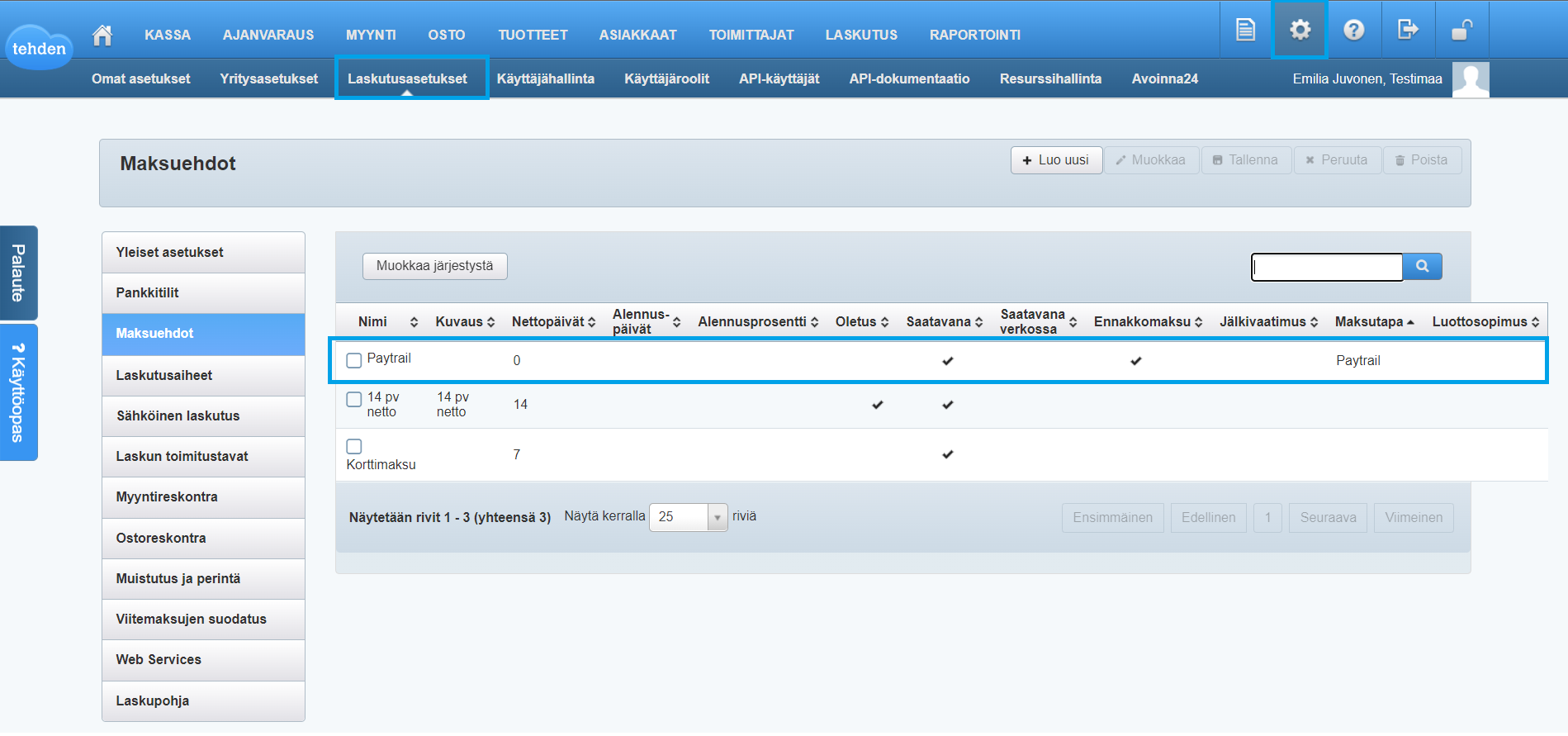
When using the payments parameter, the company must define the payment terms used and set the advance payment to those. Payment terms must be connected to payment types that can be used for an advance payment. When payment terms and payment types are defined in Tehden, they can be fetched through the interface with the endpoints below. The payments parameter is an array of objects and there is a required parameter paymenttype_id.
Define the payment terms and connect payment types to the terms. Select whether the payment term can be used in advance payments.
Used Endpoints
invoicing/getPaymentTermssaleorder/createSaleOrderAndRowsExample 1
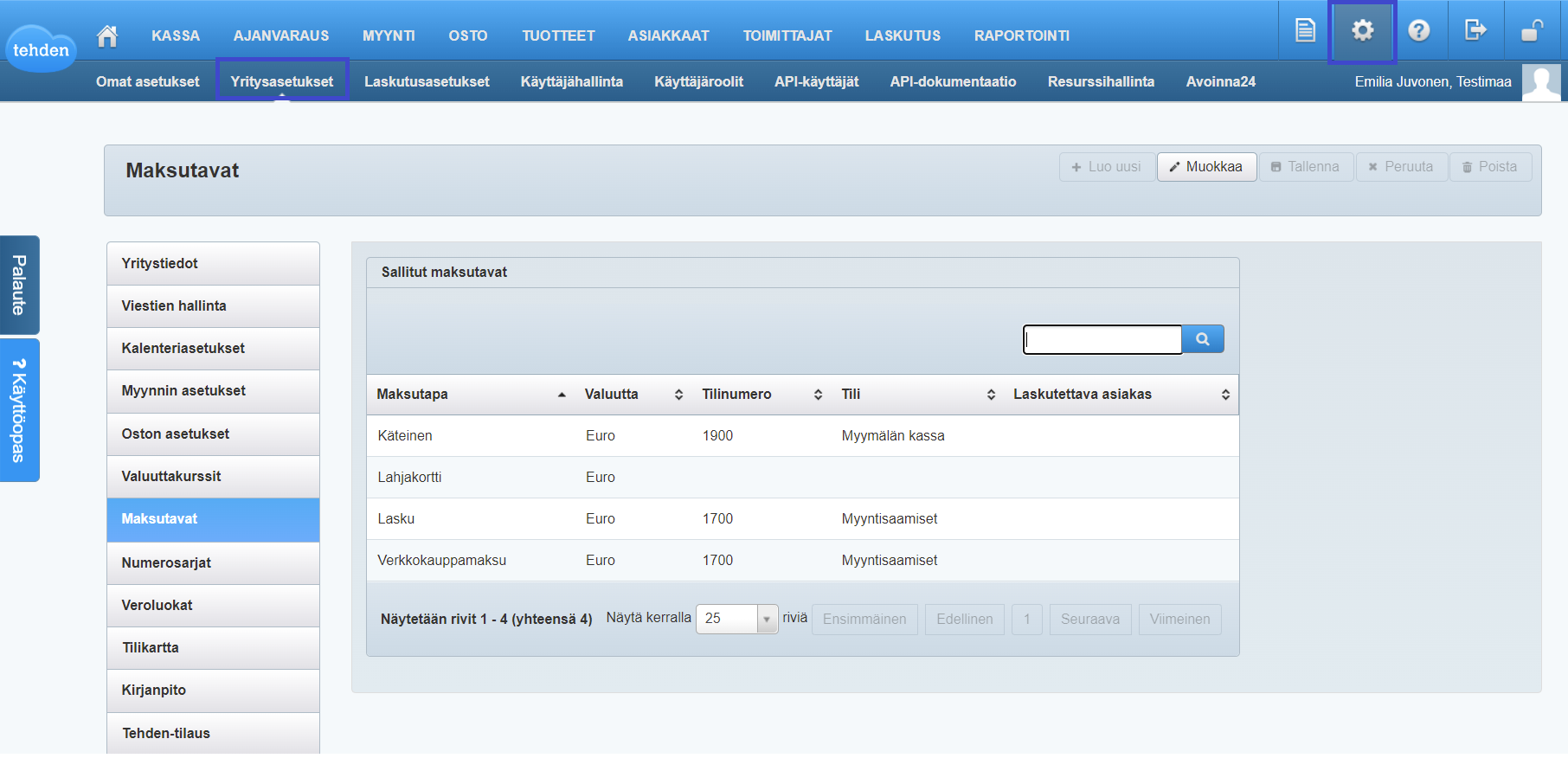
Online store payment payment method can be activated in Tehden by going to Settings -> Company settings -> Payment methods.
Example 2
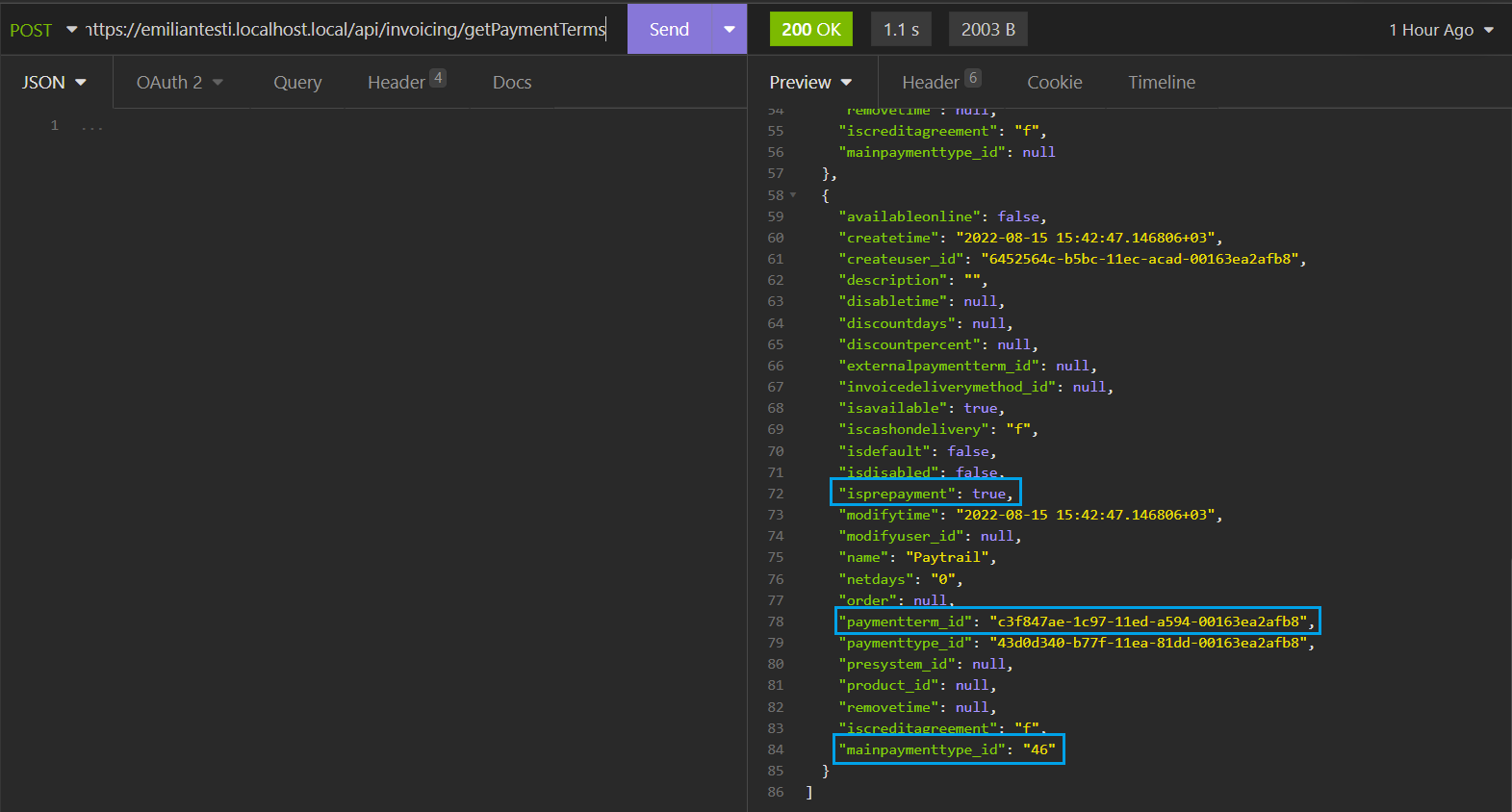
Get the payment method and payment term for the advance payment, linked to one another.
Example 3
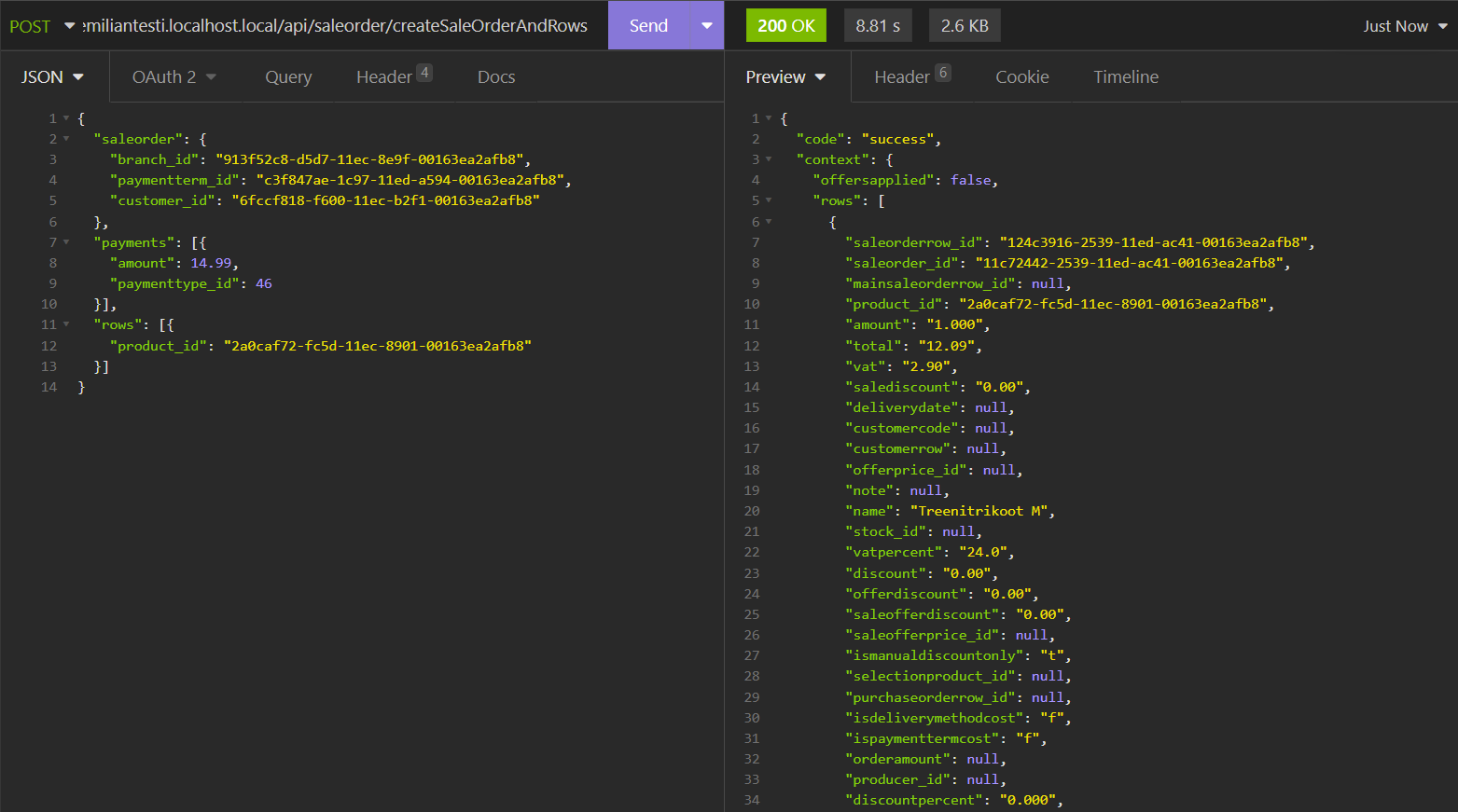
Creating a sales order with an advance payment. Paymenttype in this example is Paytrail payment.
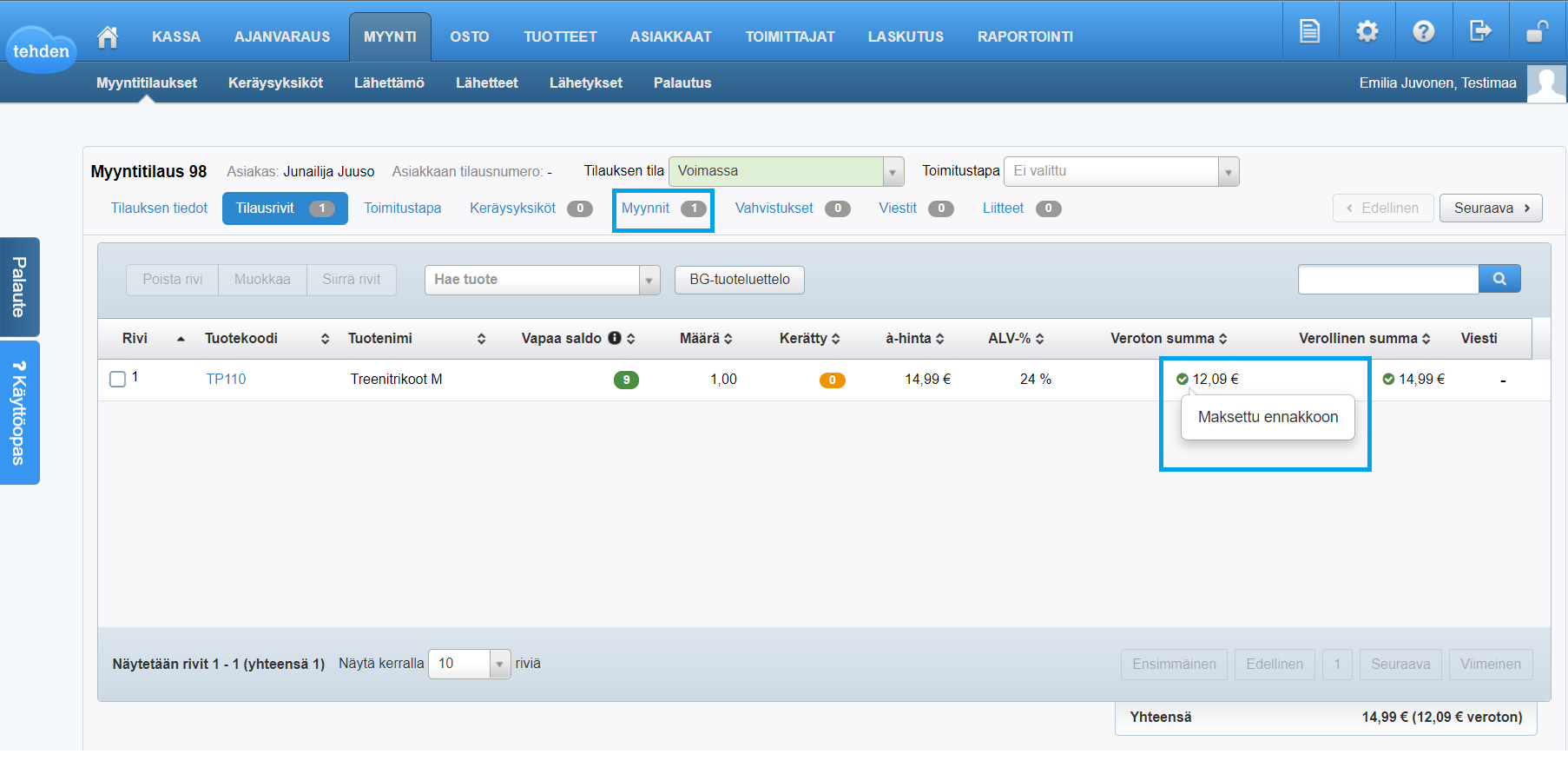
The sales order row in an individual sales order's sales page shows that the order is paid in advance.
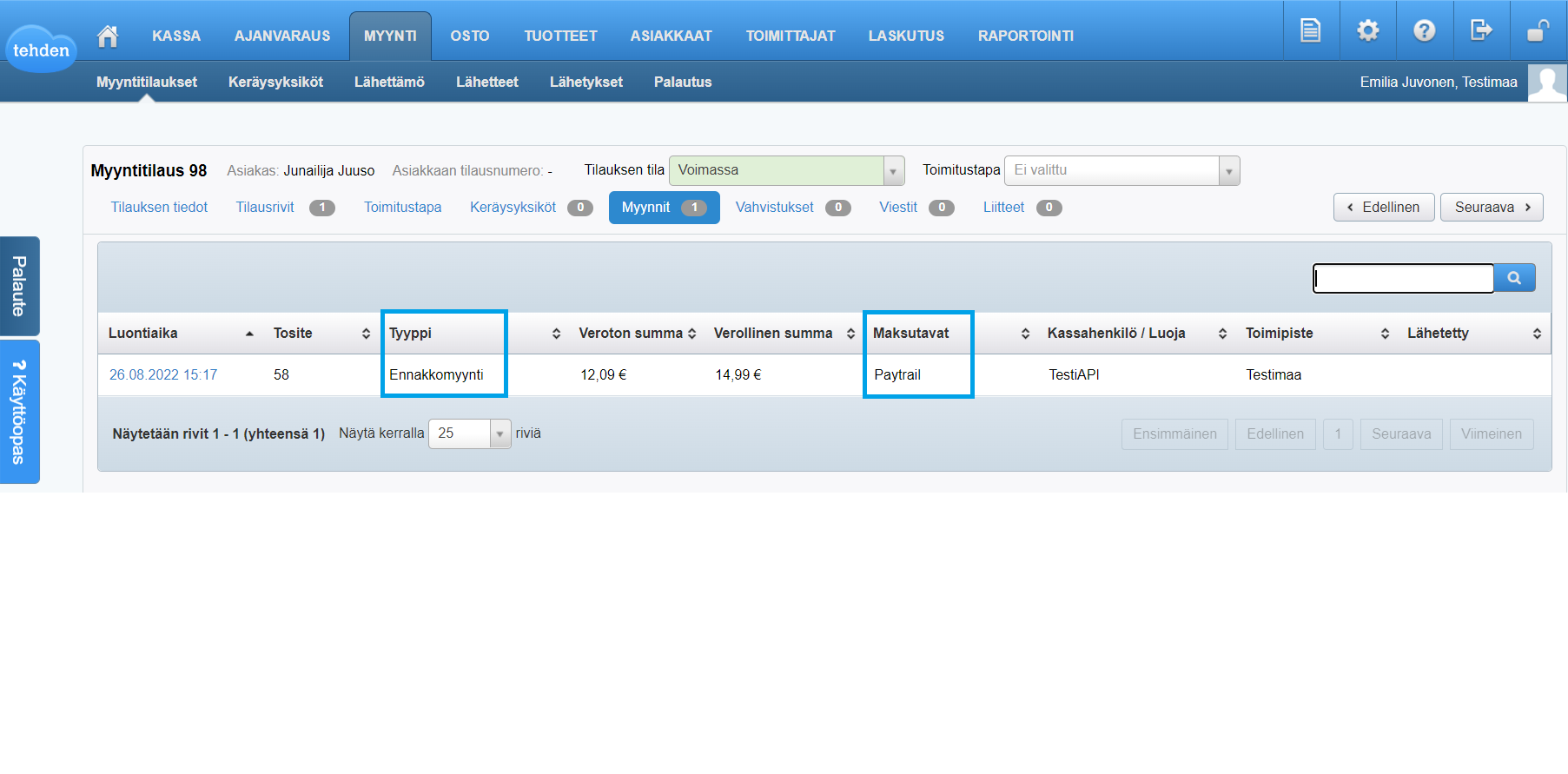
You can also see in an individual sales order's sales page that the payment is advance payment and the payment type is Paytrail payment.
Example 4
When creating a sales order and sales rows without payments parameter, you can select the payment method in Tehden.

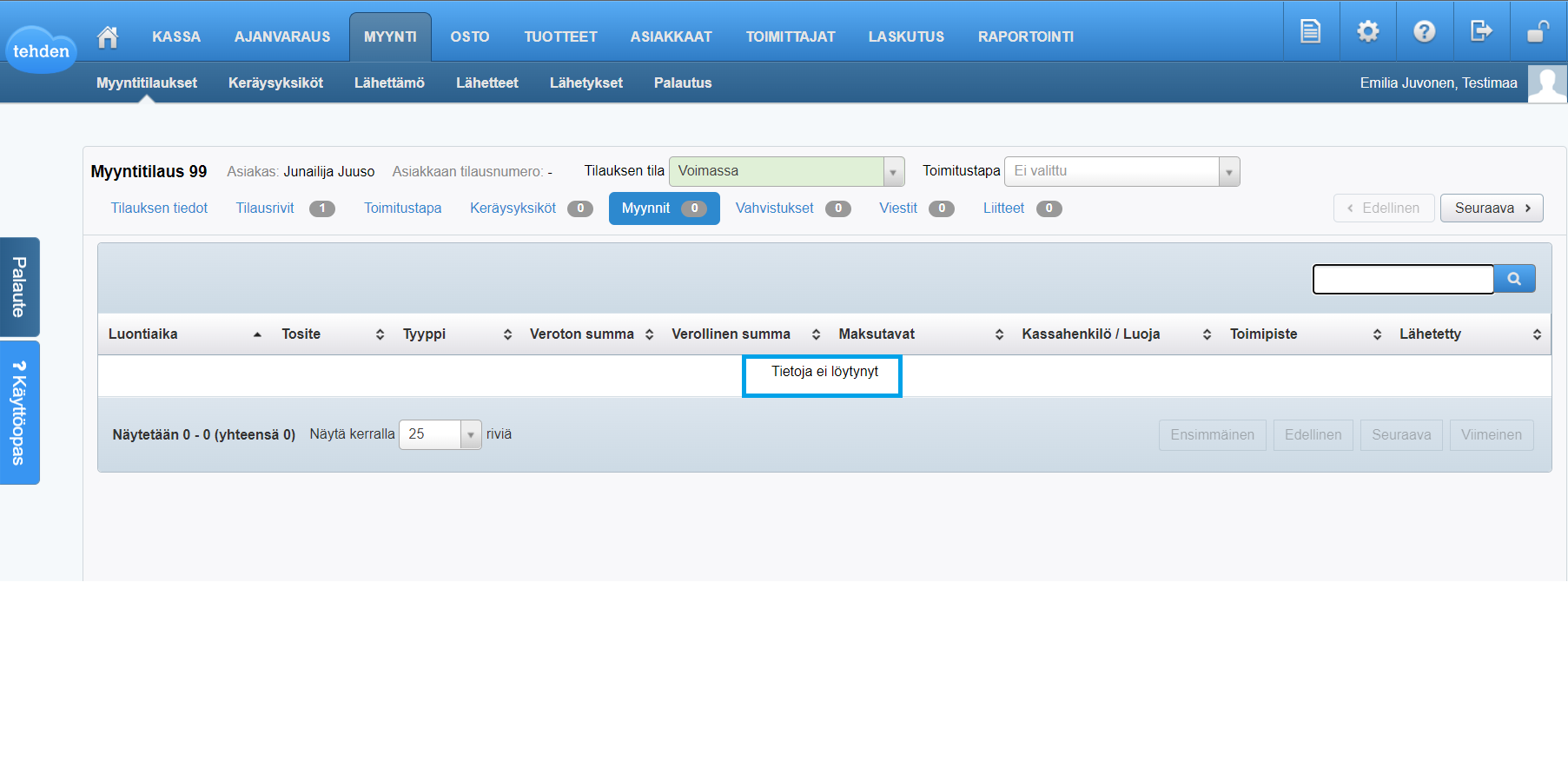
In this case, a sales order's sales page is empty until you finish the sale order's payment in Tehden.
Screenshots from the user interface are in Finnish because a large part of our customers use Tehden in Finnish.